Burrow
 A gopher hole is called a burrow
Encrypted peer-to-peer file transfer, entirely under your control.
Problem statement
Sending files between devices means either
- Syncing Everything
- Difficult or expensive
- Using a middleman
- Uploading files to a cloud drive just to download them somewhere else
- Tolerating Sync delay
- Files don’t always arrive immediately



I want a tool that can
Transfer files between any device
Works on any device within my network
Avoid third parties / middlemen
Files go straight from sender to receiver, without being stored in the middle
Self-hosted — free for life
Runs on my own infrastructure, no subscriptions
Current solution:
Magic Wormhole
% wormhole send important-stuff.txt

Wormhole code is: 7-guitarist-revenge% wormhole receive 7-guitarist-revenge
Receive file written to important-stuff.txt
The Problem with
Magic Wormhole
Third-party relay servers
All file data travels through servers you don’t own or control.
Single file transfers only
Repeated commands to transfer multiple files
Not compatible with mobile
No iOS app available
Written in Python
…
Burrow
- Encrypted P2P file transfer
- Entirely self-hosted
- Single and multi-file transfers
- Built for cross-platform & mobile
A gopher hole is called a burrowHow it works
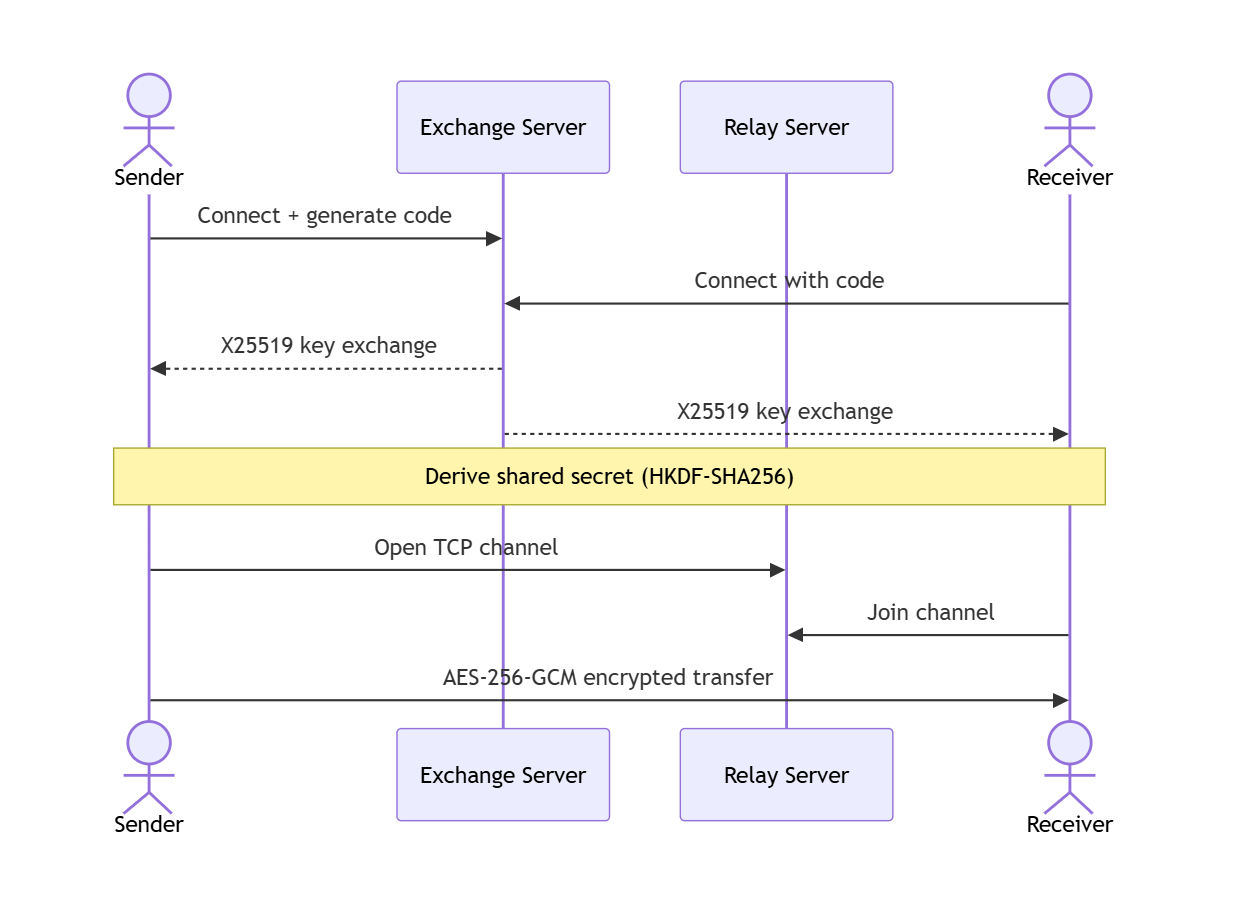
Burrow
is completely
self-hosted
Docker Compose
services:
  burrow-exchange:
    image: maximiliancraig112/burrow-exchange:latest
    restart: unless-stopped
    ports:
      - "8080:8080"

  burrow-relay:
    image: maximiliancraig112/burrow-relay:latest
    restart: unless-stopped
    ports:
      - "9090:9090"   # P2P relay
      - "8082:8082"   # web dashboard
    environment:
      TUNNEL_PUBLIC_URL: http://your-server:8082
Optional, but recommended
Works anywhere with Tailscale
Connect all your devices in a private mesh network.
- Works on any device
- Works across the internet like a local network
- No port forwarding required
- Free for personal use

Feature
parity with
Magic Wormhole
Send
Sender initiates the transfer
burrow send photo.jpg

# Connecting to exchange server...
Code: swift-copper-leaps
# Waiting for receiverReceive
Receiver accepts the file via the nameplate
burrow receive swift-copper-leaps

# Connecting to exchange server...
# Connecting to relay...

# Receiving photo.jpg (182.4 KB)
Saved to C:\Path\photo.jpg
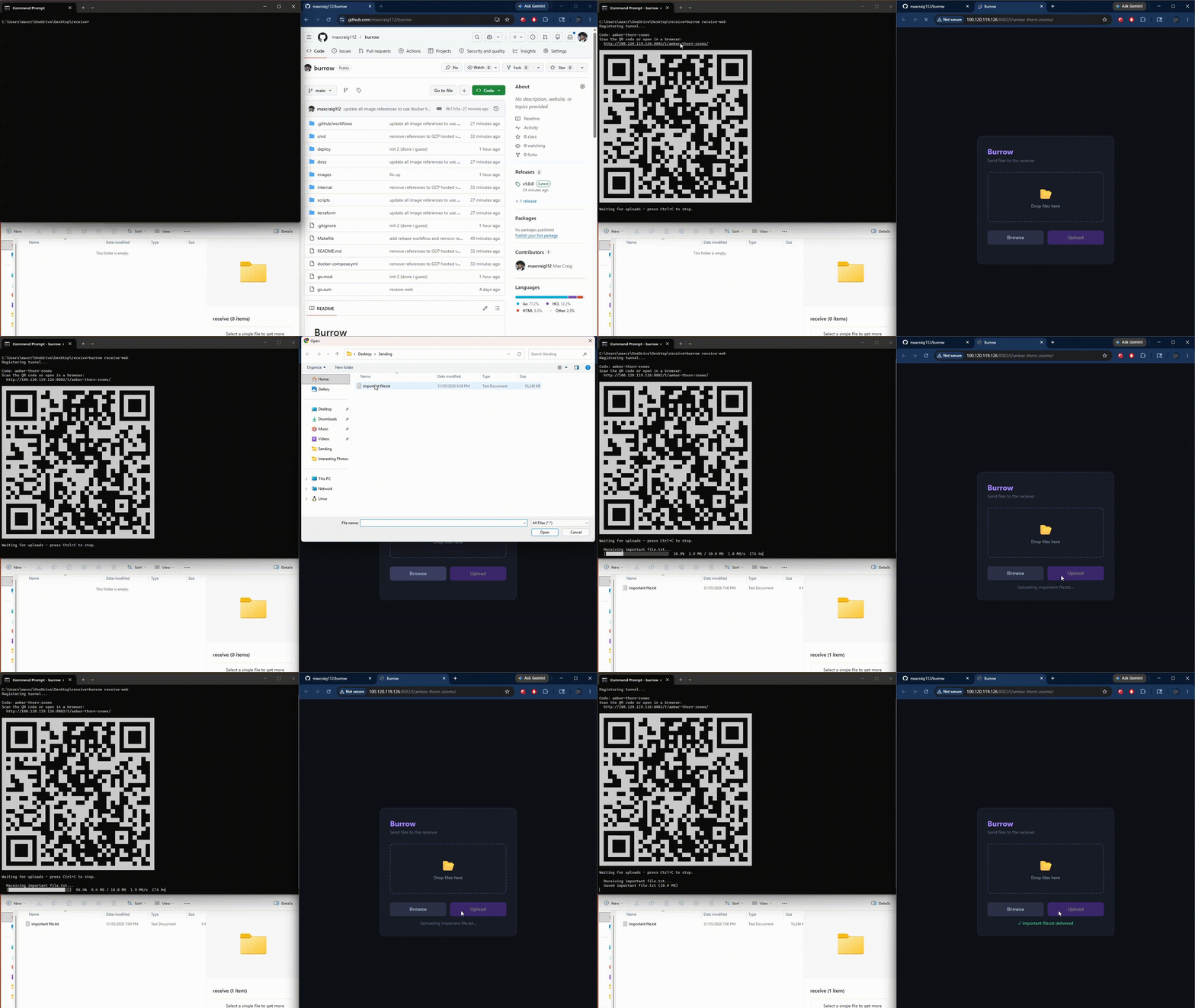
Done!Multi-file transfers & mobile support
Written in Golang
- Static binaries
- Strong type + error checking
- Fast running

Give it a try!
go install github.com/maxcraig112/burrow/cmd/burrow@latest